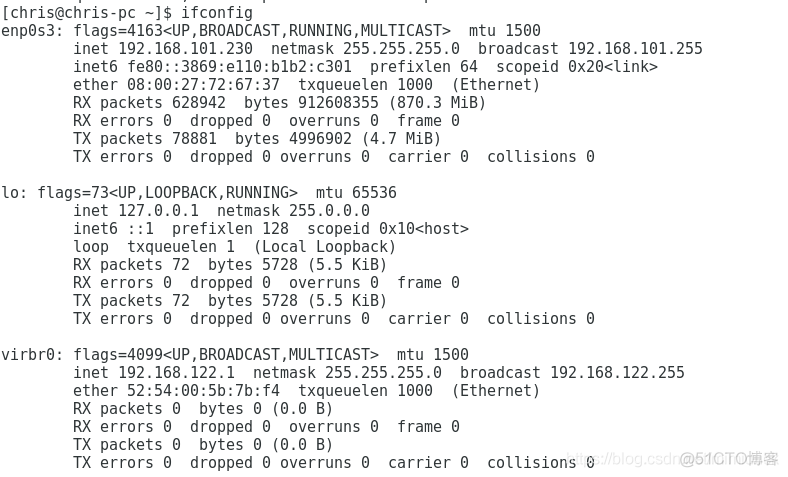
delay延迟 tc qdisc add dev enp0s3 root netem delay 1000ms
命令详解 qdisc: 类型为 queuing discipline,不懂的请先查询一下基本概念 add: add a new rule dev eth0: rules will be applied on device eth0 root: modify the outbound traffic scheduler (aka known as the egress qdisc) netem: use the network emulator to emulate a WAN property delay: the network property that is modified 1000ms: introduce delay of 1000 ms
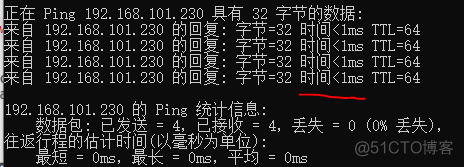
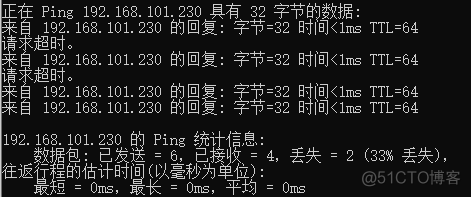
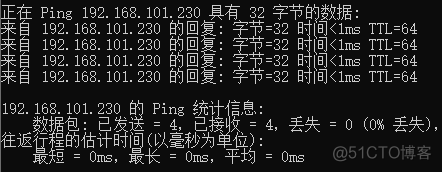
执行前
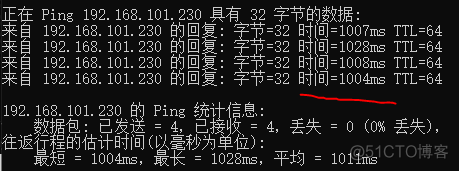
执行后
delay最后还是有两个参数
命令1.增加振幅
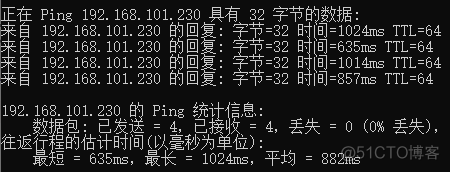
delay不是一个固定的值,而是在后面这个参数的增加减少幅度内变动
tc qdisc add dev enp0s3 root netem delay 1000ms 500ms
参数说明: tbf: use the token buffer filter to manipulate traffic rates rate: sustained maximum rate burst: maximum allowed burst latency: packets with higher latency get dropped
其他操作
删除 tc qdisc del dev enp0s3 root
修改 tc qdisc change dev enp0s3 root netem delay 1000ms
# tc filter add dev eth0 protocol ip parent 1:0 prio 1 u32 match ip dport 80 0xffff flowid 1:11 # tc filter add dev eth0 prtocol ip parent 1:0 prio 1 u32 match ip dport 25 0xffff flowid 1:12 # tc filter add dev eth0 protocol ip parent 1:0 prio 1 u32 match ip dport 23 oxffff flowid 1:13
步骤1: 用 ssh-key-gen 在本地主机上创建公钥和密钥 ligh@local-host$ ssh-keygen -t rsa Enter file in which to save the key (/home/jsmith/.ssh/id_rsa):[秘钥文件名] Enter passphrase (empty for no passphrase): [秘钥密码(直接输入回车即为不带密码的秘钥)] Enter same passphrase again: [重复输入秘钥密码] Your identification has been saved in /home/jsmith/.ssh/id_rsa. Your public key has been saved in /home/jsmith/.ssh/id_rsa.pub. The key fingerprint is: 33:b3:fe:af:95:95:18:11:31:d5:de:96:2f:f2:35:f9 ligh@local-host
步骤2: 用 ssh-copy-id 把公钥复制到远程主机上 ligh@local-host$ ssh-copy-id -i ~/.ssh/id_rsa.pub root@192.168.0.3 ligh@remote-host‘s password: Now try logging into the machine, with ―ssh ?remote-host‘‖, and check in: .ssh/authorized_keys to make sure we haven‘t added extra keys that you weren‘t expecting. [注: ssh-copy-id 把密钥追加到远程主机的 .ssh/authorized_key 上.]
步骤3: 直接登录远程主机 ligh@local-host$ ssh remote-host Last login: Sun Nov 16 17:22:33 2008 from 192.168.1.2 [注: SSH 不会询问密码.] ligh@remote-host$ [注: 你现在已经登录到了远程主机上]